
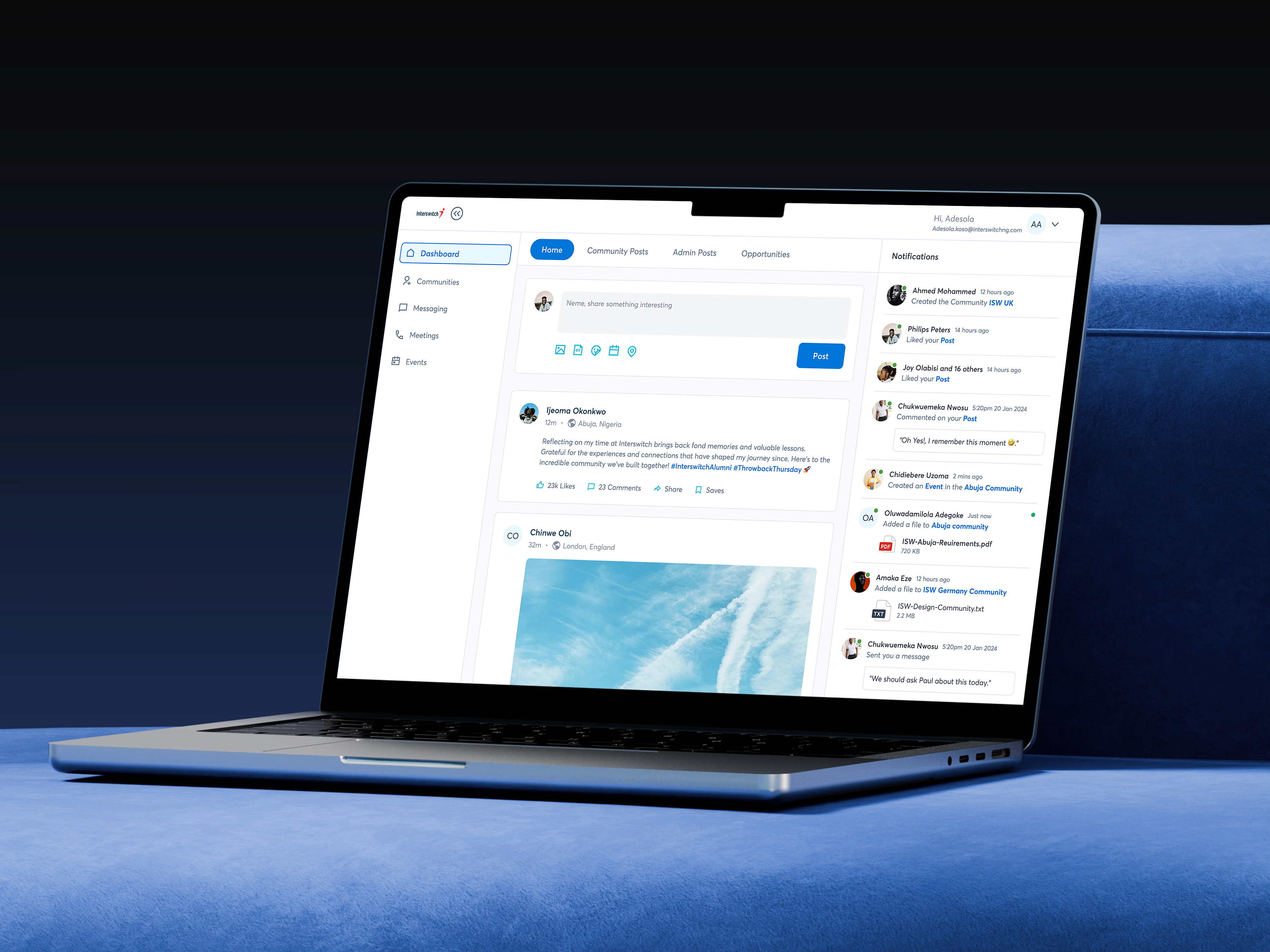
Interswitch Alumni Portal
A portal to connect alumni and current employees.
View Live Project
Project Overview
The Interswitch Alumni Portal is a web based platform designed to reconnect the company with its former employees and foster long-term engagement. It serves as a community space, career network, and talent discovery hub for both internal teams and the growing alumni base. The platform supports Interswitch’s cross-border expansion strategy and lays the foundation for a token-based reward system that encourages regular alumni engagement. Its role-based architecture is tailored to alumni, staff, and admins, offering a scalable, secure, and socially engaging solution.
Challenge & Background
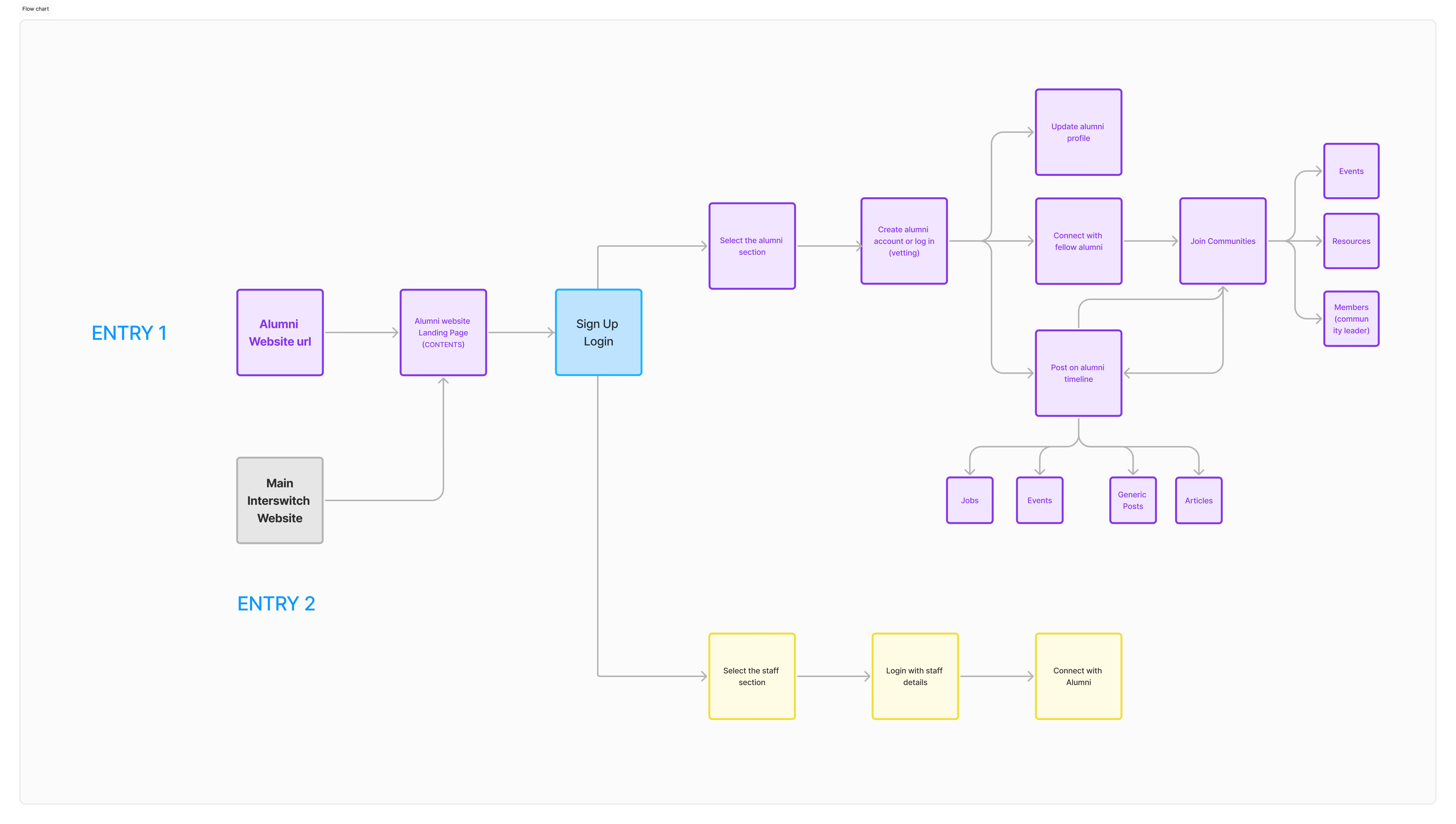
Over the years, Interswitch alumni have built startups, joined global companies, and expanded their influence across Africa. Despite their growing network, there was no system to maintain relationships, feature success stories, or engage alumni meaningfully. From a business perspective, this meant missed opportunities for talent sourcing, brand advocacy, and re-engagement. The goal was to create a platform that unified the alumni community, supported recruitment efforts, and enabled high-value interactions between current staff and alumni.
The platform needed to support three distinct user types with unique access requirements: alumni, staff, and admins. It had to feel lightweight and familiar like a social platform while meeting enterprise-level security and content control standards. We also had to plan for future expansion features such as tokenized rewards, all without bloating the MVP.
Goals & Constraints
Foster community among alumni and staff
Create visibility into alumni career paths and achievements
Support internal talent sourcing and referrals
Build a scalable foundation for cross-border engagement
Enable future token-based reward systems for active contributors
Unorganised existing alumni data or user database
Lack of access to direct competitor platforms as I wasn't an alumni to access their platforms
Limited development team
Short timeline to ship a usable MVP
Admin dashboard and advanced filters deferred to version one
We held off on advanced features such as deep search, analytics, and gamified leaderboards. Token features were scoped out conceptually but excluded from the MVP implementation.
Team & Role
I led design as the sole Product Designer, owning the end-to-end experience. This included research, journey mapping, UI design, prototyping, and developer handoff. I also contributed to technical decisions by collaborating closely with the engineering team on features, permission logic, and future token feature planning.
Process: Research, Design, Testing
RESEARCH
To uncover real user needs, I conducted interviews with alumni and staff, audited past engagement touch-points, and mapped user journeys across all roles. I also benchmarked other alumni platforms as deep as I could get such as those used by Blackrock to understand what worked well and what didn’t. I also analyzed indirect competitors such as ADPList and Facebook groups. These insights directly influenced key decisions such as onboarding design, post types, notification behavior, and layout of community spaces.
DESIGN
I Sketched and refined wireframes by user role
Built responsive layouts for mobile and desktop
Designed modular components to support future features
Prototyped flows for posting, messaging, community building, and onboarding
Maintained close communication with the dev team to ensure alignment on role logic.
TESTING & HANDOFF
The MVP is currently in testing by a Quality Assurance engineer with selected alumni and staff. I provided annotated Figma files with clearly labeled flows, screen variants, and copy blocks. I worked directly with developers to align frontend and backend logic, especially around content visibility and user onboarding.
MVP Features
ALUMNI
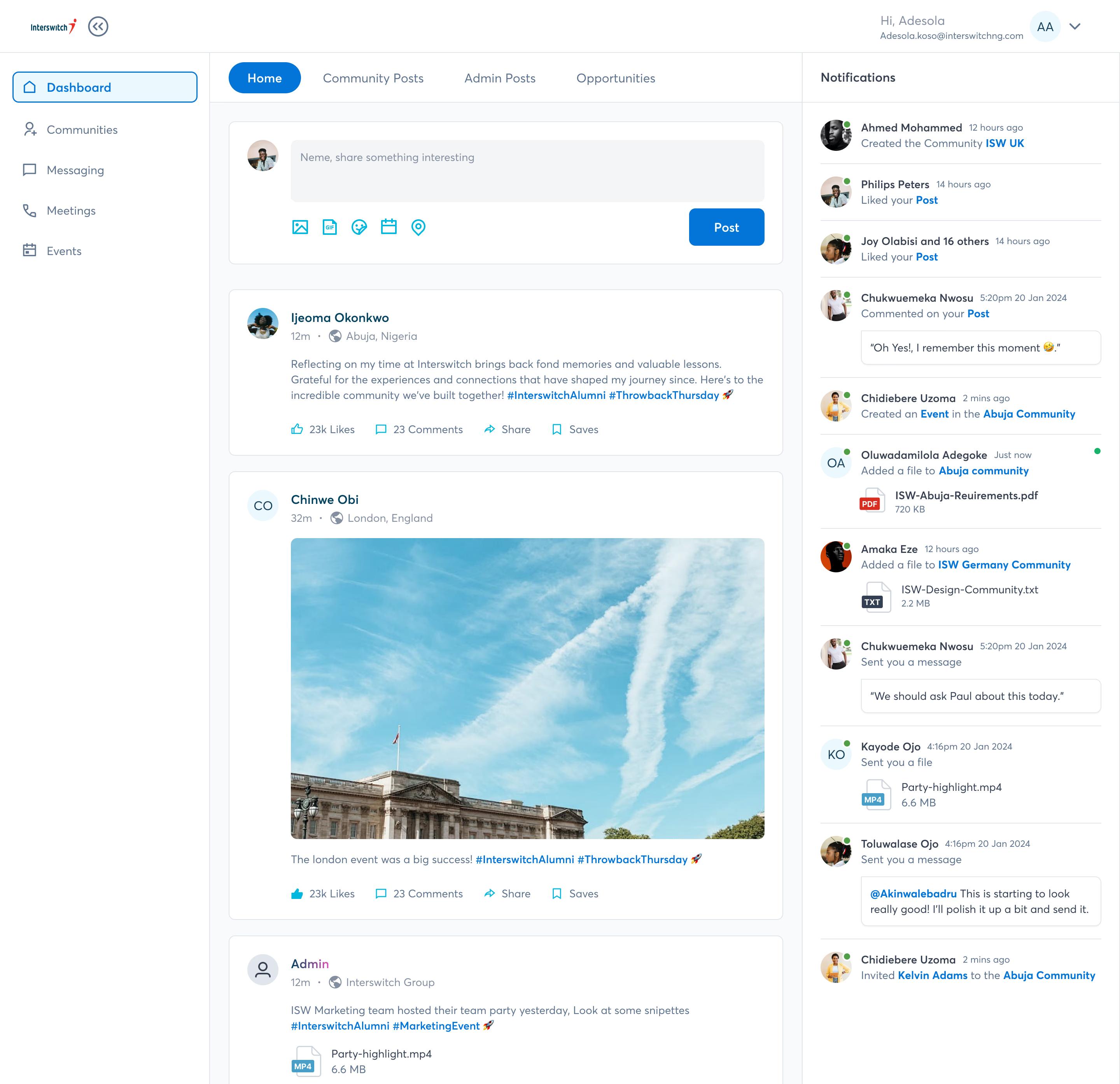
Social login (Google, LinkedIn)
Public landing page (videos, newsroom, Instagram embeds)
Create posts with rich text, emojis, and media
Like and comment on posts
Upload media (image, video)
Join and create communities
View admin and community posts
View job opportunities
Receive notifications
Instant messaging
Video calling (beta)
Edit and view profile
Role-based onboarding
ADMIN
Admin dashboard
Approve alumni requests
Post to general feed
Create and manage communities
Post and manage opportunity listings
STAFF
Search and view alumni
Message alumni directly
Final UI Designs
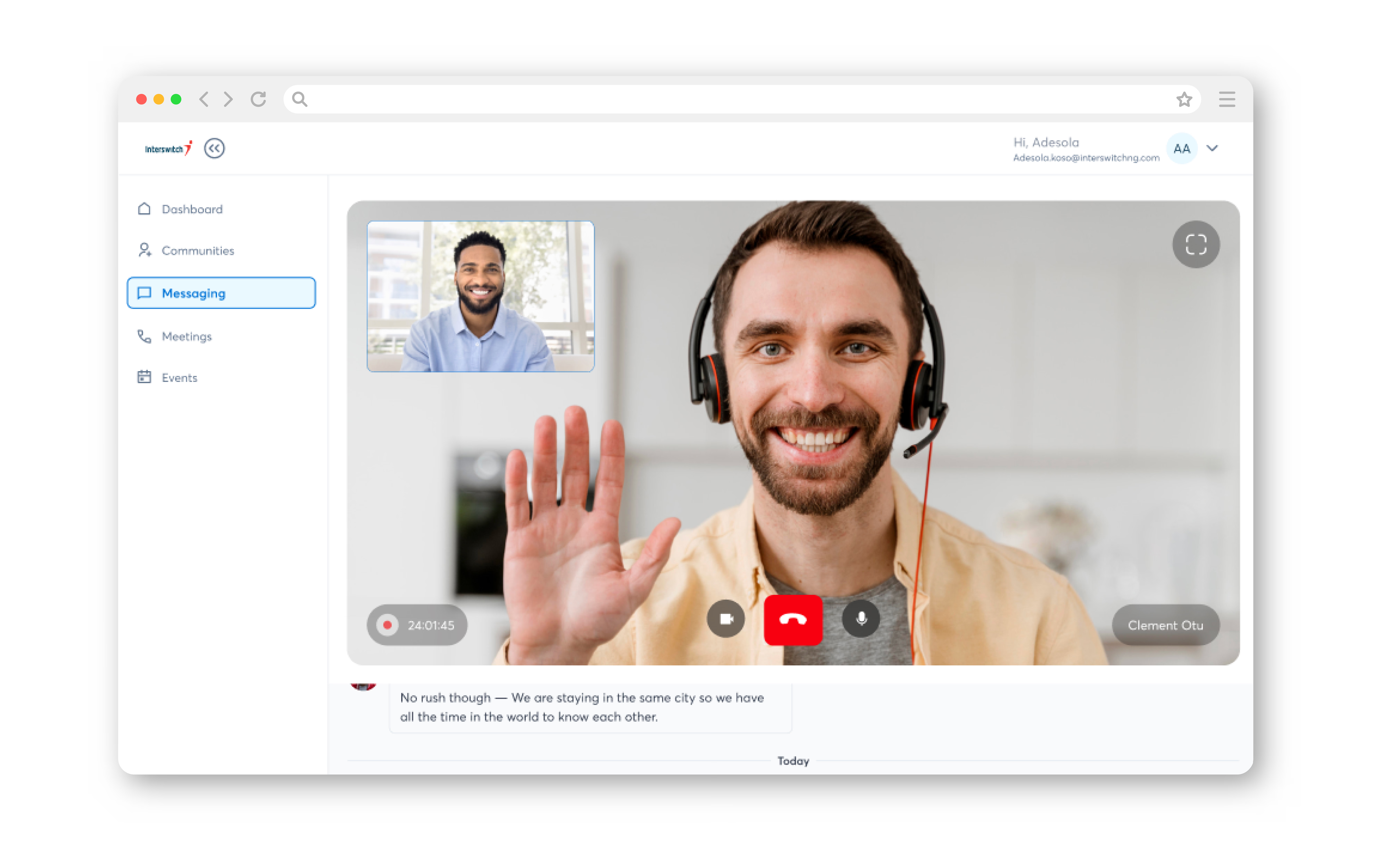
Expected alumni signups
Number of active communities created
Messaging sessions
“Working with Chineme brought clarity and energy to the project. Results exceeded our goals.”
Clement Bazuaye (Interswitch dev)
Learnings
Designing for multiple user types requires more than just creating different screens. The logic behind permissions, content visibility, and interactions must be tightly scoped from the beginning. Collaboration with developers early in the process helped reduce rework later. Planning for future features such as token-based rewards also required designing extensible component logic from the start.
Previous project
Next project